Managed IT Support That Scales With Your Business
Technology Should Drive Your Business Forward—Not Hold It Back
As a business leader, IT manager, or executive, you don’t just need “IT support.” You need technology that enables growth, reduces risk, and ensures business continuity.
At EMT Computer Consulting, we deliver Managed IT Services that go beyond troubleshooting—we provide a roadmap for scalable, secure, and efficient technology. Whether you’re looking to reduce IT headaches, enhance security, or optimize costs, our fully managed IT support is designed to help you make smarter technology decisions.
Why Businesses Choose EMT Computer Consulting?
Enterprise-Grade IT Support – Tailored for Small & Mid-Sized Businesses

Experts on-demand
Get unlimited IT support from our US-based helpdesk, with an average response time of just 11 seconds.
Faster, More Efficient IT Assistance

Predictable, Fixed Monthly Pricing
No surprise costs—just comprehensive IT support that scales with your needs.
Boost Productivity & Profitability
Businesses that embrace digital transformation see 30% faster growth and are 20% more profitable.
What’s Included in Our Managed IT Support?
Comprehensive IT Solutions Designed to Keep Your Business Running Smoothly

All-Inclusive IT Helpdesk & Support
- Unlimited user support with rapid response times
- Expert assistance for third-party software (Adobe, Sage, QuickBooks, CAD, ERP, CRM, etc.)
- Dedicated IT experts who understand your business needs

Proactive Maintenance & System Monitoring
- 24/7 system health checks to prevent downtime
- Automated security updates and patch management
- End-to-end IT support so your team can focus on what they do best

User Management & Onboarding
- Seamless onboarding/offboarding (new hires, access changes, and user permissions)
- Cloud-based IT management for a fully remote-friendly experience

Cybersecurity & Compliance
- Threat monitoring & proactive defense against cyberattacks
- Data backup & disaster recovery planning to keep your business resilient
- Compliance support for industry regulations (HIPAA, NIST, PCI DSS, etc.)
Why Partner With EMT Computer Consulting?
For over two decades, we’ve been the trusted IT partner for businesses in Lexington, Louisville, and across the U.S. We support organizations with 5 to 250+ users, working alongside in-house IT teams or providing fully outsourced IT management.
Strategic IT Planning & Support
We don’t just fix IT issues—we help you leverage technology for long-term success. Our team works as an extension of your business, ensuring that your IT strategy aligns with your growth goals.
No Geek Speak – Just Clear, Friendly Support
Technology can be complex, but our approach isn’t. We communicate in plain English, ensuring that every business owner and executive understands the solutions we provide.
A True IT Partner, Not Just a Vendor
We take the time to understand your business, workflows, and goals, so you get more than just IT support—you get a strategic technology partner that helps you work faster, smarter, and more efficiently.
Whats Next?
1️⃣ Schedule a Consultation – We discuss your business goals and IT needs.
2️⃣ Custom IT Plan – We build a tailored IT strategy to enhance security, efficiency, and growth.
3️⃣ Seamless Onboarding – Our team integrates smoothly with your operations.
4️⃣ Ongoing IT Management & Optimization – Your business runs at peak efficiency with zero IT headaches.
Call us at (888) 551-2770
Schedule a Free Consultation Today!
Why Guest Wi-Fi Should Be Separate From Your Business Network
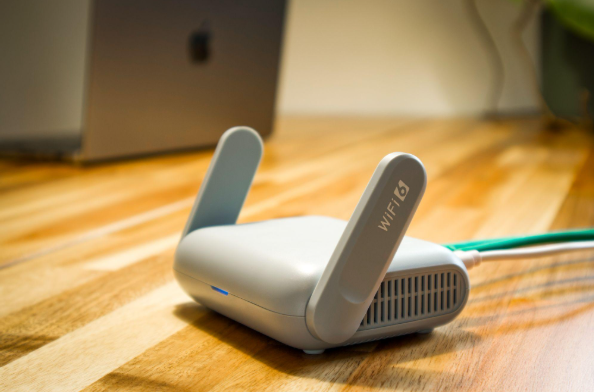
Summary: Guest Wi-Fi should provide internet access while blocking connections to your internal business network. A different Wi-Fi name and password do not confirm that the networks are separated. The router, access points, and firewall must also be configured to prevent guest devices from reaching internal systems. Offering Wi-Fi to customers, contractors, and visitors is […]

Should Employees Use Personal Devices for Work?
Summary: Allow personal devices only for approved work, through approved apps, and when the device meets your security requirements. Use company-owned devices for administration, sensitive work, or jobs that require large amounts of data to be stored locally. Employees often use personal devices for work before the business has made a decision about it. They […]

Why Your Employees Shouldn’t Have Administrator Access to Their Computers
Summary: Employees should use standard accounts for email, web browsing, and everyday work. Administrator access should be limited to approved IT tasks and protected with a separate account. Administrator access often starts with one request. An employee needs to install a printer, update a specialist program, or change a setting on their computer. Giving them […]

The 30-Minute IT Check Every Small Business Should Do Once a Month
Summary: Most IT problems don’t appear out of nowhere. Backups quietly stop running, updates sit unfinished for weeks, and old staff accounts stay switched on for months. A short check once a month catches these while they’re still cheap to fix. This post covers the six things to look at. Most owners only look at […]